Web Push Notifications - How to Create an Independent Service
Introduction
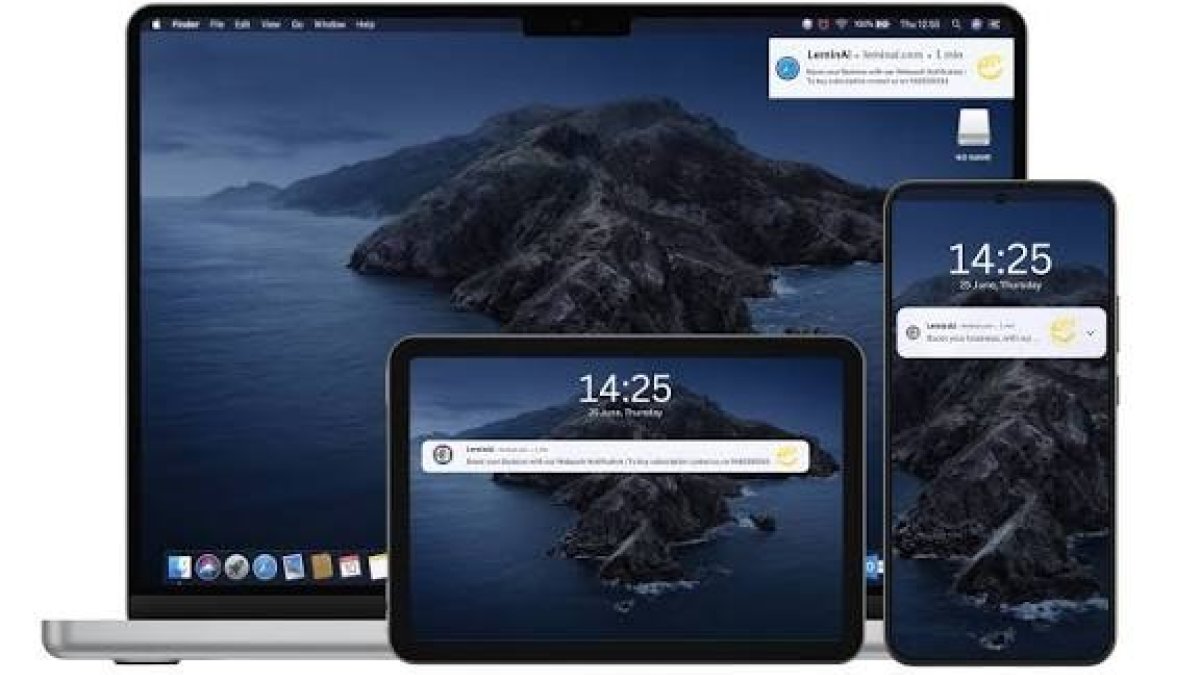
Web push notifications have become an essential tool for engaging users beyond the traditional confines of websites and applications. Businesses and developers commonly rely on third-party services such as OneSignal or Firebase Cloud Messaging to handle the complexities of sending notifications. However, these external services often introduce dependencies, privacy concerns, or limitations in customization.
This blog post presents a detailed, step-by-step tutorial on creating an independent web push notification service using the minishlink/web-push library. We will leverage this PHP library to integrate web push notifications directly in CodeIgniter 4 (CI4) and Laravel frameworks, allowing for a fully autonomous, customizable, and privacy-focused notification system.
By the end of this guide, you will understand how to build and operate a reliable independent push notification service that does not rely on any external providers or platforms like OneSignal, giving you complete control over your notification infrastructure.
Why Choose an Independent Web Push Notification Service?
Before diving into implementation, let's consider why building an independent notification service is a compelling choice:
- Zero dependency on third-party services: Avoid outages, pricing changes, or policy shifts that can disrupt your notifications.
- Full control of data privacy: User subscription and notification data remain on your own servers, reducing third-party data exposure.
- Customizability: Tailor your notification logic, scheduling, and content formatting precisely to your business needs without limitations.
- Cost efficiency: No reliance on paid tiers or user-based pricing models common with external services.
- Easy integration with existing backend infrastructure: Directly integrate with your databases and logic in Laravel or CI4, streamlining development and maintenance.
While services like OneSignal simplify the process for beginners or small teams, teams valuing privacy, independence, and advanced customization will find a self-hosted solution superior.
Getting Started: Building Your Own Service with minishlink/web-push
The PHP library minishlink/web-push is the cornerstone of our independent service. It is a mature, well-documented tool that handles the complexities of the Web Push Protocol, including VAPID authentication, payload encryption, and subscription management.
Step 1: Setting up Your Development Environment
First, ensure you have a working PHP environment with Composer installed, and either Laravel or CodeIgniter 4 properly configured.
- PHP 7.4 or higher.
- Composer for dependency management.
- Laravel 8+ or CodeIgniter 4 installed in your project folder.
Proceed to install the library via Composer:
composer require minishlink/web-pushStep 2: Generating VAPID Keys
VAPID (Voluntary Application Server Identification) keys are essential credentials for authenticating your server with the push services of browsers, enabling trusted and secure push messaging.
Generate your VAPID keys using the built-in helper in the package:
php vendor/bin/web-push generate:vapidThe command outputs a public and private key pair. These keys must be stored securely; the public key will be shared with clients, and the private key remains confidential on your server.
Step 3: Implement Server-Side Subscription Storage
To send notifications, you must store client subscription details, which include an endpoint URL and cryptographic keys generated in the client browser.
- Database schema example:
CREATE TABLE subscriptions (
  id INT AUTO_INCREMENT PRIMARY KEY,
  endpoint TEXT NOT NULL,
  public_key VARCHAR(255),
  auth_token VARCHAR(255),
  content_encoding VARCHAR(50),
  created_at TIMESTAMP DEFAULT CURRENT_TIMESTAMP
);
Store subscription objects after the clients subscribe on the frontend.
Step 4: Client-Side Subscription in JavaScript
On the frontend, implement subscription logic using the Push API and Service Workers. The key aspect here is to use the public VAPID key to subscribe the browser to your push service.
Example code snippet:
const publicVapidKey = '';

if ('serviceWorker' in navigator) {
  send().catch(err => console.error(err));
}

async function send() {
  const register = await navigator.serviceWorker.register('/worker.js', {
    scope: '/'
  });

  const subscription = await register.pushManager.subscribe({
    userVisibleOnly: true,
    applicationServerKey: urlBase64ToUint8Array(publicVapidKey)
  });

  await fetch('/save-subscription', {
    method: 'POST',
    body: JSON.stringify(subscription),
    headers: {
      'content-type': 'application/json'
    }
  });

  console.log('Push subscription saved.');
}

function urlBase64ToUint8Array(base64String) {
  const padding = '='.repeat((4 - base64String.length % 4) % 4);
  const base64 = (base64String + padding)
    .replace(/\-/g, '+')
    .replace(/_/g, '/');

  const rawData = window.atob(base64);
  const outputArray = new Uint8Array(rawData.length);

  for (let i = 0; i < rawData.length; ++i) {
    outputArray[i] = rawData.charCodeAt(i);
  }
  return outputArray;
}
This JavaScript handles service worker registration, subscription to push service, and sends the subscription object to the backend route /save-subscription which you will implement next.
Step 5: Backend Endpoint to Save Subscription
In Laravel or CI4, create an API endpoint that receives subscription JSON from the frontend and stores it in your subscriptions database.
Laravel Example:
Route::post('/save-subscription', function (Request $request) {
    $data = $request->all();

    // Validate and sanitize input as needed
    DB::table('subscriptions')->updateOrInsert(
        ['endpoint' => $data['endpoint']],
        [
            'public_key' => $data['keys']['p256dh'],
            'auth_token' => $data['keys']['auth'],
            'content_encoding' => $request->header('Content-Encoding', 'aes128gcm')
        ]
    );

    return response()->json(['success' => true]);
});
CodeIgniter 4 Example:
public function saveSubscription()
{
    $data = json_decode($this->request->getBody(), true);

    $db = \Config\Database::connect();
    $builder = $db->table('subscriptions');

    $existing = $builder->getWhere(['endpoint' => $data['endpoint']])->getRow();

    if ($existing) {
        $builder->where('id', $existing->id)->update([
            'public_key' => $data['keys']['p256dh'],
            'auth_token' => $data['keys']['auth'],
            'content_encoding' => $this->request->getHeaderLine('Content-Encoding') ?? 'aes128gcm',
        ]);
    } else {
        $builder->insert([
            'endpoint' => $data['endpoint'],
            'public_key' => $data['keys']['p256dh'],
            'auth_token' => $data['keys']['auth'],
            'content_encoding' => $this->request->getHeaderLine('Content-Encoding') ?? 'aes128gcm',
        ]);
    }

    return $this->response->setJSON(['success' => true]);
}
Step 6: Sending Push Notifications
Use the WebPush class from the library to send notifications to stored subscriptions.
Example Laravel Code to Send Notification:
use Minishlink\WebPush\WebPush;
use Minishlink\WebPush\Subscription;

$vapid = [
  'VAPID' => [
    'subject' => 'mailto:[email protected]',
    'publicKey' => env('VAPID_PUBLIC_KEY'),
    'privateKey' => env('VAPID_PRIVATE_KEY'),
  ],
];

$webPush = new WebPush($vapid);

$subscriptions = DB::table('subscriptions')->get();

foreach ($subscriptions as $sub) {
    $subscription = Subscription::create([
        'endpoint' => $sub->endpoint,
        'publicKey' => $sub->public_key,
        'authToken' => $sub->auth_token,
        'contentEncoding' => $sub->content_encoding,
    ]);

    $report = $webPush->sendOneNotification(
        $subscription,
        json_encode([
            'title' => 'Hello',
            'body' => 'This is a test push notification',
            'icon' => '/icon.png',
        ])
    );

    if ($report->isSuccess()) {
        // Success handling (optional)
    } else {
        // Optional: remove expired subscriptions here
    }
}
CodeIgniter 4 Similar Logic:
use Minishlink\WebPush\WebPush;
use Minishlink\WebPush\Subscription;

$vapid = [
  'VAPID' => [
    'subject' => 'mailto:[email protected]',
    'publicKey' => $_ENV['VAPID_PUBLIC_KEY'],
    'privateKey' => $_ENV['VAPID_PRIVATE_KEY'],
  ],
];

$webPush = new WebPush($vapid);

$db = \Config\Database::connect();
$subscriptions = $db->table('subscriptions')->get()->getResult();

foreach ($subscriptions as $sub) {
    $subscription = Subscription::create([
        'endpoint' => $sub->endpoint,
        'publicKey' => $sub->public_key,
        'authToken' => $sub->auth_token,
        'contentEncoding' => $sub->content_encoding,
    ]);

    $report = $webPush->sendOneNotification(
        $subscription,
        json_encode([
            'title' => 'Hello',
            'body' => 'This is a test push notification',
            'icon' => '/icon.png',
        ])
    );

    if ($report->isSuccess()) {
        // Handle success if needed
    } else {
        // Handle failures (e.g. remove invalid subscriptions)
    }
}
Step 7: Handling Expired or Invalid Subscriptions
The Web Push Protocol returns feedback if a subscription is no longer valid. It is important to remove such subscriptions from your database to avoid unnecessary retries.
Check the reports from sendOneNotification or the batch sending process and delete expired endpoints.
Advanced Tips and Best Practices
- Use batch sending with the
WebPush::sendNotificationmethod for efficient handling of multiple notifications. - Implement retry logic and monitoring of push failures.
- Secure your endpoints — protect the subscription saving and push sending routes with authentication.
- Enhance your payloads with rich data and interaction capabilities such as actions and images.
- Follow GDPR compliance: ensure subscription management respects user privacy and consent.
Conclusion
Creating an independent web push notification service using the minishlink/web-push library empowers developers and businesses to fully control their notification system without relying on external providers like OneSignal. This approach enhances privacy, customization, and cost-effectiveness.
By following the step-by-step tutorial, you can implement a robust push notification system in both Laravel and CodeIgniter 4 frameworks. This system allows you to manage subscriptions directly, send personalized notifications, and avoid the risks associated with third-party dependencies.
Building your own push notification infrastructure is an investment in long-term reliability and flexibility, aligning perfectly with modern web development goals of user engagement and privacy protection.