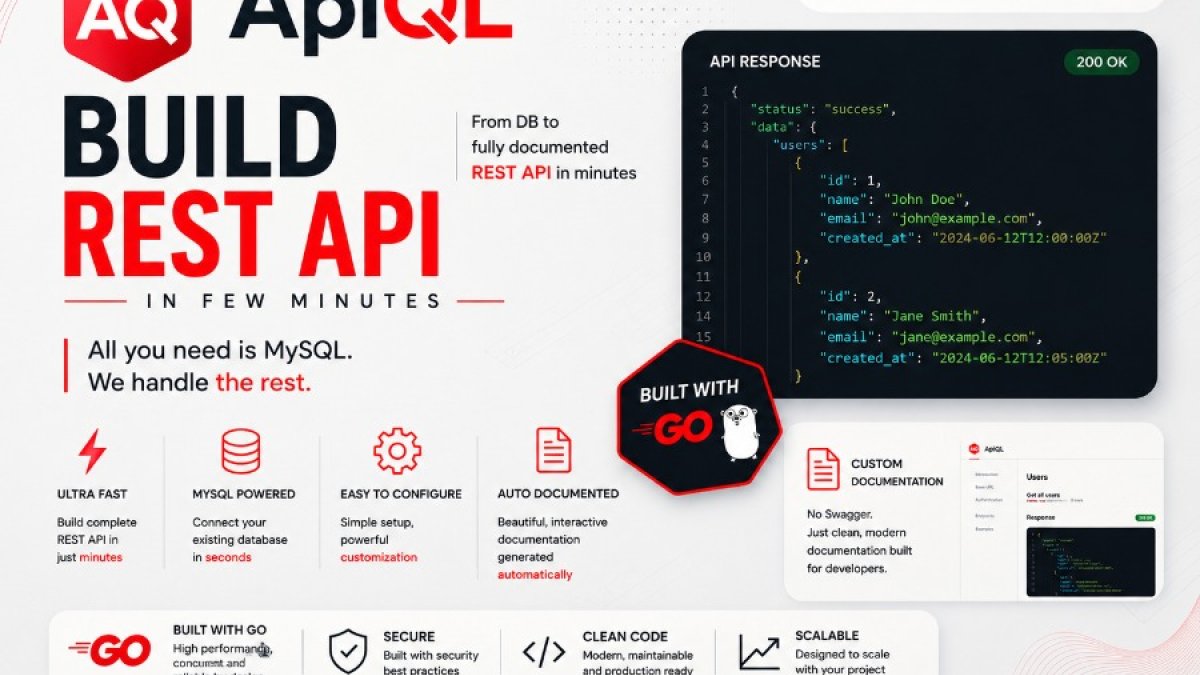
ApiQL: Build a REST API from MySQL in Minutes
ApiQL: Build a REST API from MySQL in Minutes
For many developers and teams, the process of building out standard CRUD (Create, Read, Update, Delete) APIs to interact with a MySQL database can feel repetitive and time-consuming. This is especially true for internal tools, dashboards, or when quickly prototyping new features. While frameworks exist to streamline this, they often involve significant boilerplate code, complex setup, and can become a maintenance burden. What if there was a way to get a functional, secure REST API powered by your MySQL data up and running in minutes, without writing a line of application code?
The Problem with Building Repetitive CRUD APIs
The traditional approach to exposing MySQL data via a REST API typically involves setting up a web server, defining routes, handling request parsing, interacting with the database, serializing results, and implementing authentication. This process, while necessary, often leads to:
- Developer Time Sink: Significant time is spent on boilerplate code that doesn't directly add business value.
- Maintenance Overhead: As the database schema evolves, the API code needs to be updated, tested, and redeployed.
- Inconsistency: Without strict adherence to patterns, different developers might implement APIs in slightly different ways, leading to inconsistencies.
- Slow Iteration: Prototyping and iterating on data-driven features become slower due to the overhead of API development.
This is where a tool like ApiQL can dramatically change the development workflow.
What ApiQL Does
ApiQL is designed to solve these challenges by transforming your existing MySQL database into a fully functional REST API with minimal effort. It acts as a secure gateway to your data, allowing you to perform CRUD operations on your tables and views through simple HTTP requests. ApiQL is built as a compiled Go binary, meaning it's a single, self-contained executable that's easy to deploy and manage.
Instead of writing application code, you configure ApiQL using an external JSON file. This configuration allows you to define how ApiQL interacts with your database, including which tables and columns are exposed, authentication methods, and more. The result is a live REST API that mirrors your database schema, complete with automatically generated, interactive documentation.
Why a Compiled Go Binary Matters
ApiQL's foundation as a compiled Go binary offers several key advantages:
- Performance: Go binaries are known for their speed and efficiency, ensuring your API requests are handled with low latency.
- Portability: A single binary can be easily deployed across different operating systems and environments without external dependencies like runtimes or interpreters.
- Simplicity: Deployment is straightforward. You simply run the binary.
- Security: As a compiled binary, ApiQL does not require shipping Go source code to users, enhancing the security of your implementation.
JSON Configuration Without Rebuilding
One of ApiQL's core strengths is its external JSON configuration. This means you can modify API behavior without needing to recompile the Go binary. Key aspects you can control include:
- Endpoints: Define which tables and views are exposed as API endpoints and customize their names.
- Limits: Set default and maximum limits for query results.
- Tokens: Configure authentication tokens or utilize database-managed tokens.
- Disabled Actions: Restrict specific HTTP methods (GET, POST, PUT, DELETE) on certain endpoints.
- Disabled Columns: Prevent specific columns from being accessed or modified.
- Allow-all Mode: A convenient mode for rapid development or internal tools where broad access might be temporarily acceptable.
Changes made to the configuration file require a restart of the ApiQL service to take effect. This separation of configuration from the compiled binary makes managing and updating your API's behavior remarkably agile.
Learn more about ApiQL's capabilities at https://apiql.net/.
Token Authentication Options
Security is paramount, and ApiQL provides flexible token authentication to secure your API:
- Fixed Tokens: You can define static API tokens directly within the JSON configuration. These tokens are sent in the HTTP
Authorizationheader. - Database-Managed Tokens: ApiQL can automatically create and manage a
tokenstable in your MySQL database. This allows for dynamic token generation, revocation, and management, offering a more robust security model.
This dual approach ensures that you can select the authentication strategy that best fits your security requirements and operational needs.
Automatic Live Documentation
Understanding and interacting with an API is crucial. ApiQL automatically generates live API documentation based on your database schema and configuration. This documentation is accessible through a dedicated endpoint (e.g., /docs). Developers can visit this endpoint in their browser to see:
- Available endpoints and their corresponding database tables/views.
- Supported HTTP methods for each endpoint.
- Parameters, including those for filtering, sorting, and pagination.
- Response structures.
This feature significantly speeds up the process of integrating with the API, as there's no need to manually create or maintain separate API documentation.
Best Use Cases
ApiQL excels in scenarios where rapid development and efficient data access are critical. It's particularly well-suited for:
- Internal APIs: Quickly expose data to internal dashboards, reporting tools, or microservices.
- Admin Panels: Build backend APIs for administrative interfaces that manage database content.
- Prototypes: Rapidly create functional APIs to test hypotheses or demonstrate data-driven features.
- Controlled Production Tools: For specific, well-defined data access needs in production where the security model is robustly managed.
- Small Companies: Teams with limited resources can leverage ApiQL to get data accessible without significant development investment.
- SaaS Builders: Integrating data access layers for new features or platforms.
Example Installation Flow
Getting started with ApiQL is designed to be quick and straightforward:
- Download the Binary: Obtain the appropriate ApiQL binary for your operating system from the official website (https://apiql.net/).
- Create a Configuration File: Create a
config.jsonfile specifying your MySQL connection details and desired API settings. - Run ApiQL: Execute the ApiQL binary, pointing it to your configuration file. For example:
./apiql --config config.json - Access Your API: Your MySQL database is now accessible via REST endpoints at the configured port. You can also access the auto-generated documentation.
This simple flow dramatically reduces the time from zero to a functional API.
Conclusion
ApiQL offers a compelling solution for developers and teams looking to bypass the tedious process of building standard CRUD APIs for their MySQL databases. By leveraging a compiled Go binary, external JSON configuration, flexible token authentication, and automatic documentation generation, ApiQL empowers you to expose your data as a live REST API in minutes. This efficiency allows teams to focus on core business logic rather than repetitive infrastructure tasks. Explore how ApiQL can accelerate your development at https://apiql.net/.